Managed IT services for contractors only make sense if they work at 6:30 on a Monday morning, in a gravel lot with one bar of signal. The software is the same sort an office uses. The difference is where it’s used, who carries it and what it costs when it fails.
Three places, one record
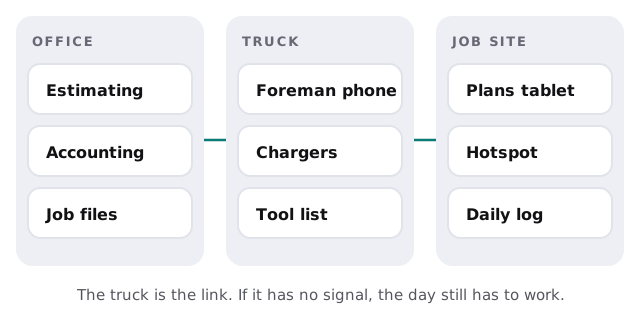
Your data is created in three places and has to meet in one.
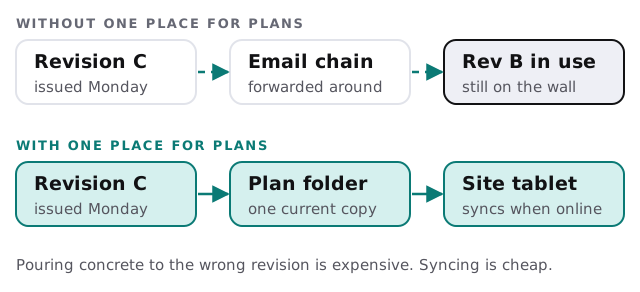
Which drawing is the right one?
Anyone who has built something knows the cost of working from the wrong revision. IT can’t prevent every mistake, but it can make the current drawing the easy one to find.
Who carries what
| Role | Usually carries | What matters most |
|---|---|---|
| Estimator | Laptop with estimating software | Large files, bid-day deadlines |
| Project manager | Laptop, phone, tablet | Access to schedules, RFIs and change orders |
| Superintendent | Tablet or ruggedized phone | Plans, daily logs, site photos |
| Foreman | Phone | Reaching people, photos, time entries |
| Owner | All of the above | One list of every account and device |
When a device is lost or drops
Phones fall off scaffolds. Tablets sit in hot trucks. Plan for the day it happens.
- Lock it. Someone in the office can lock or wipe it the same morning.
- Replace it. A spare, set up in advance, is on its way by the afternoon.
- Sign in again. The new device gets the same access, with nothing left on the old one.
- Check the data. Photos and daily logs should already be in the project record, not only on the phone.
The pieces a contractor runs
- Estimating and takeoff. Heavy files and a software licence that’s often tied to one machine.
- Project management. Schedules, RFIs, submittals, change orders.
- Accounting and job costing. Often a different product from the project tool, and a common source of double entry.
- Time and payroll. Field entries that need to reach the office correctly and quickly.
- Photos and daily logs. Your best evidence in a dispute, if they’re kept.
- Subcontractor access. Subs need part of the project, not all of it.
Subcontractors and short-term crews
Crews change by the season and by the job. Each outside person should get access to the one project they’re on, using their own login, and lose it at the end of their scope. Handing out your own login to “keep it simple” works until someone asks who changed a schedule.
Pressure points in a contractor’s year
Contractors rarely get a quiet week to fix IT, so changes have to fit around the work.
- Bid season. Estimators need big files to open fast and a computer that doesn’t update itself an hour before a deadline.
- Mobilization. A new job means new accounts, a project folder and devices ready for the crew before the first morning, not after it.
- Bad weather. Rain days are when the office catches up on logs and photos, and when a slow upload shows up.
- Closeout. Punch lists, as-builts and warranty papers pile up at the end, which is when people are already thinking about the next job.
What “closeout” should look like for IT
At the end of a project the record is worth more than the schedule was. Photos, daily logs, change orders, inspection results and signed documents belong in one archive, with the same folder layout as every other job. Trim access to the people who still need it, remove the subs, and confirm the archive is part of the backup. Warranty calls and disputes often arrive long after the crew has moved on, and the person asking won’t wait while you search three inboxes.
What we need from you
- A list of active jobs and who is on each.
- Your tools for estimating, projects, accounting and time.
- A count of phones, tablets and laptops, and who has them.
- The last time a device was lost or a wrong drawing was used.
Monthly care covers access controls, backups and updates. The free IT check ends in a plan and a fixed quote.
A contractor’s IT is working when the foreman never has to think about it, and the owner can find any project’s records in a minute.