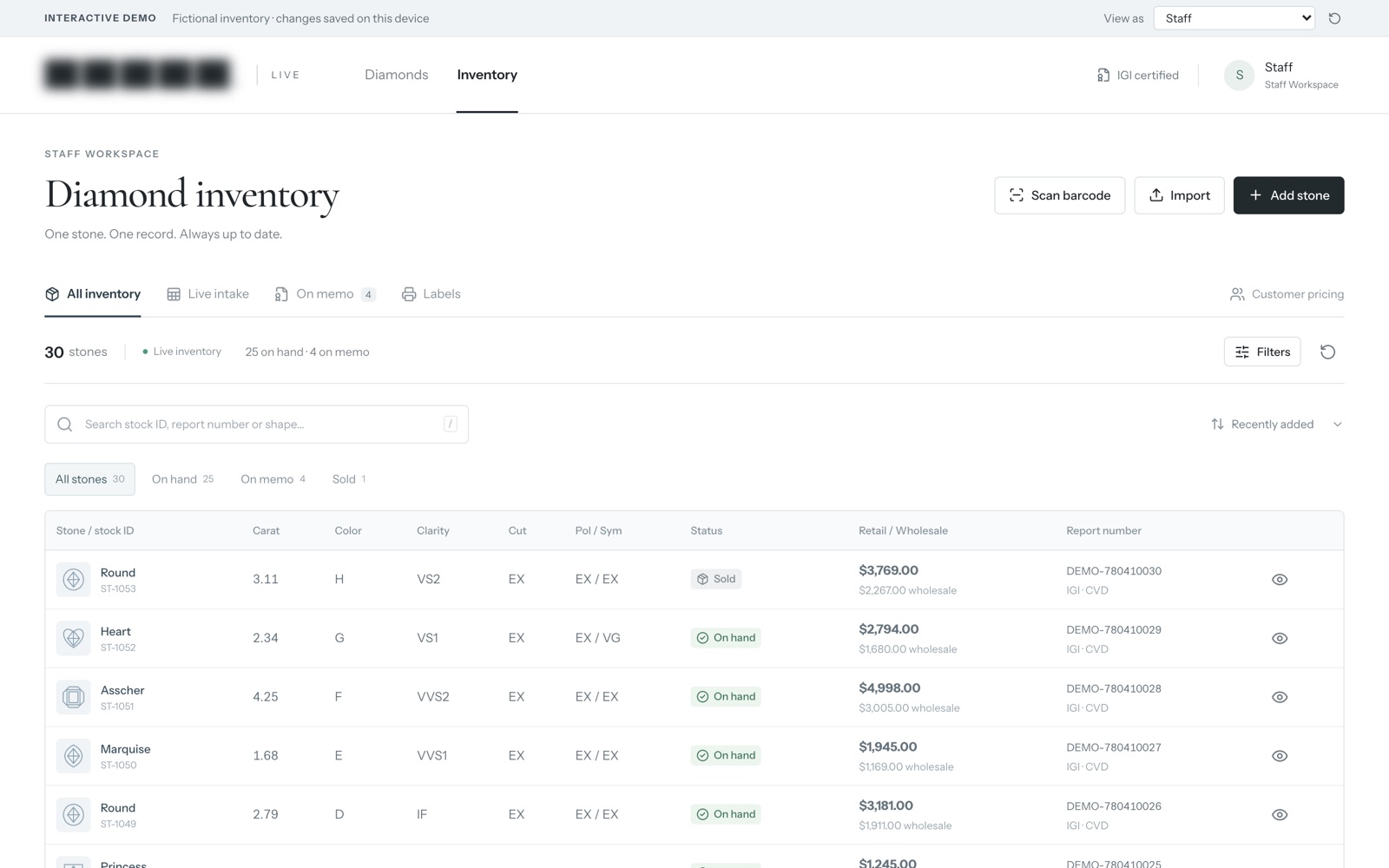
Custom inventory software for jewelry stores starts from a different assumption than ordinary retail software. A shoe shop sells forty copies of the same shoe. A jeweler sells one particular stone, with one particular report, once. Systems built for the shoe shop can be bent to fit a jewelry business, but the bending shows up every day in workarounds, side spreadsheets and photos saved in the wrong folder.
Why everyday retail apps break on fine jewelry
- Every stone is one of a kind. Two round diamonds of the same carat weight can differ in color, clarity and cut, and so in price. Treating each as its own product turns the catalog into thousands of items with a quantity of one.
- The certificate travels with the item. A grading report number belongs on every listing, every memo and every invoice that stone ever appears on.
- Stock leaves without being sold. Stones go out on memo to other dealers or to a client on approval, and they’re still yours while they’re gone.
- One stone, several prices. A trade buyer and a retail customer should not see the same number for the same piece.
- Consignment changes ownership. Pieces you sell on someone else’s behalf need their own trail, separate from stock you own.
What the system records for each stone
| Field | Why it earns its place |
|---|---|
| Stock number | One ID that matches the safe, the website and every invoice |
| Shape, carat, color, clarity, cut | The details buyers filter by |
| Grading lab and report number | Anyone can check the stone against its report |
| Photos and video | Uploaded once, used on the staff screen and the public catalog |
| Location | Safe, showcase, out on memo, at the setter |
| Cost and price tier | Margin visible to staff, hidden from every buyer |
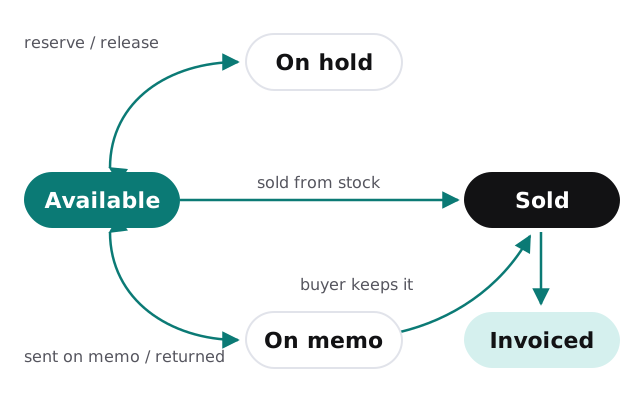
| Status | Available, on hold, on memo, sold or returned |
| History | Who changed what, and when |
The life of a stone, from safe to invoice
- Intake. The stone gets its stock number and its details are typed in once, by one person.
- Report attached. The grading report number and a copy of the report are linked to the record.
- Photographed. Images and video go straight onto the record instead of into a shared folder.
- Priced. Staff set a price for each account tier, with cost kept alongside.
- Listed. The stone appears in the online catalog for the buyers allowed to see it.
- Out on memo. A memo records who has it, from what date and on which terms, while it stays counted as your stock.
- Back or sold. A return puts it back on the shelf. A sale moves it to sold and reserves it everywhere at once.
- Invoiced. The invoice pulls the details and report number from the record, so nothing is retyped and nothing is mistyped.
Two prices, one catalog
Wholesale and retail buyers can browse the same catalog. What changes is the number they see, and that is decided by the account they’re signed in with. A dealer account sees trade prices. A member of the public sees the retail price, or a button to ask for one. Your staff see cost and margin on the same screen.
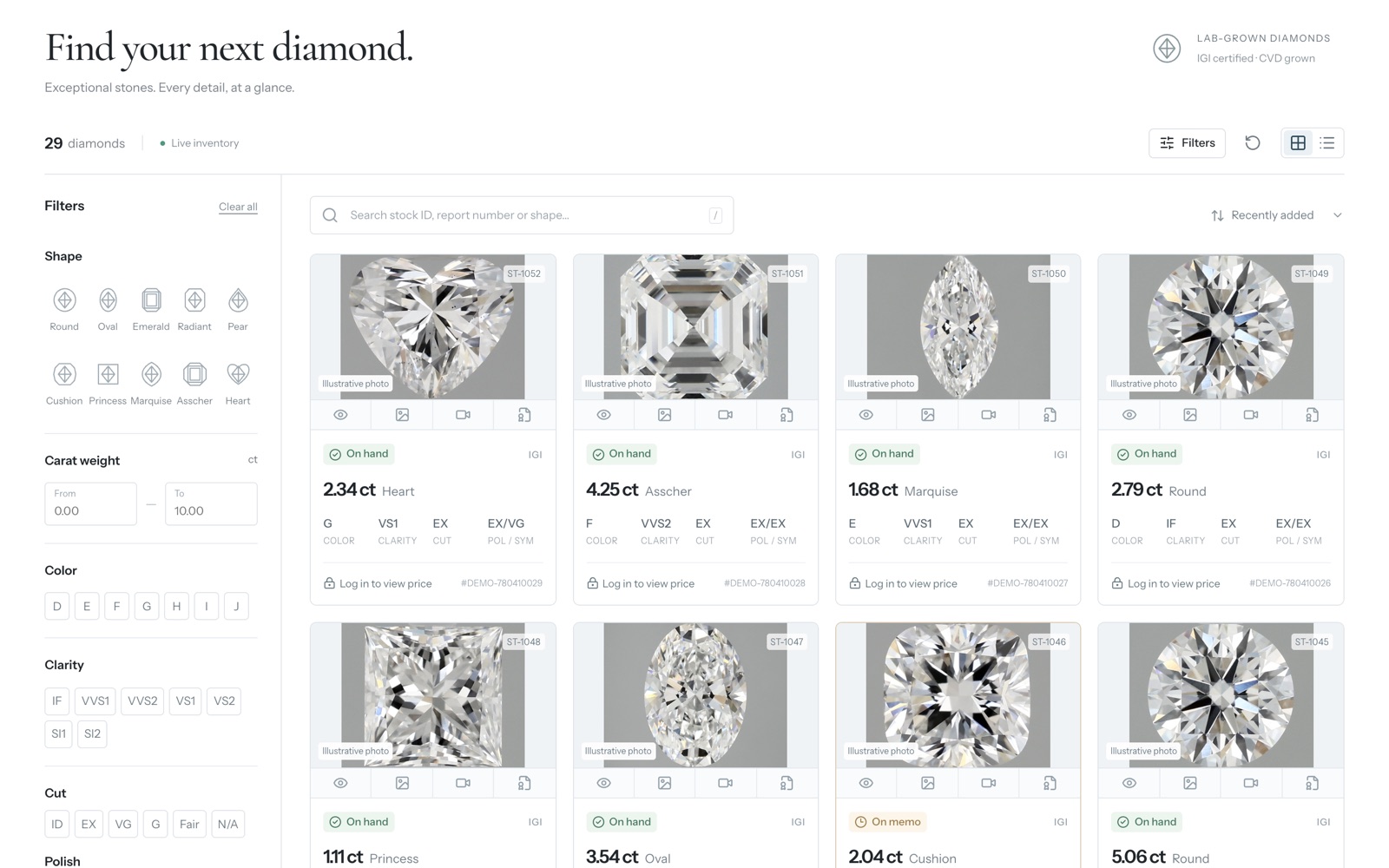
That one decision removes a familiar problem: two price lists that drift apart because someone updated one and forgot the other. There is only one record per stone, and each kind of visitor gets their own view of it.
Moving off spreadsheets without losing a stone
Most stores arrive with a spreadsheet, a folder of photos and a lot of knowledge in one person’s head. The first job is getting that into a shape a system can trust.
We start by cleaning the sheet: one row per stone, one stock number each, report numbers checked for typos and duplicates removed. Photos are matched to stock numbers by file name, and anything unmatched goes on a short list for a person to sort out. Then the data is imported, a sample is counted against what’s physically in the safe, and staff use the new system side by side with the old sheet for a short while.
Keep the spreadsheet read-only for the first month. If anything in the new system looks wrong, the old numbers are a click away, and nobody can quietly keep using both.